
Search
Find known terms or retrieve evidence for a complete question.
Quick search
Enter words from your documents to search locally. Quick search needs no model key and works well for names, terms and known passages.
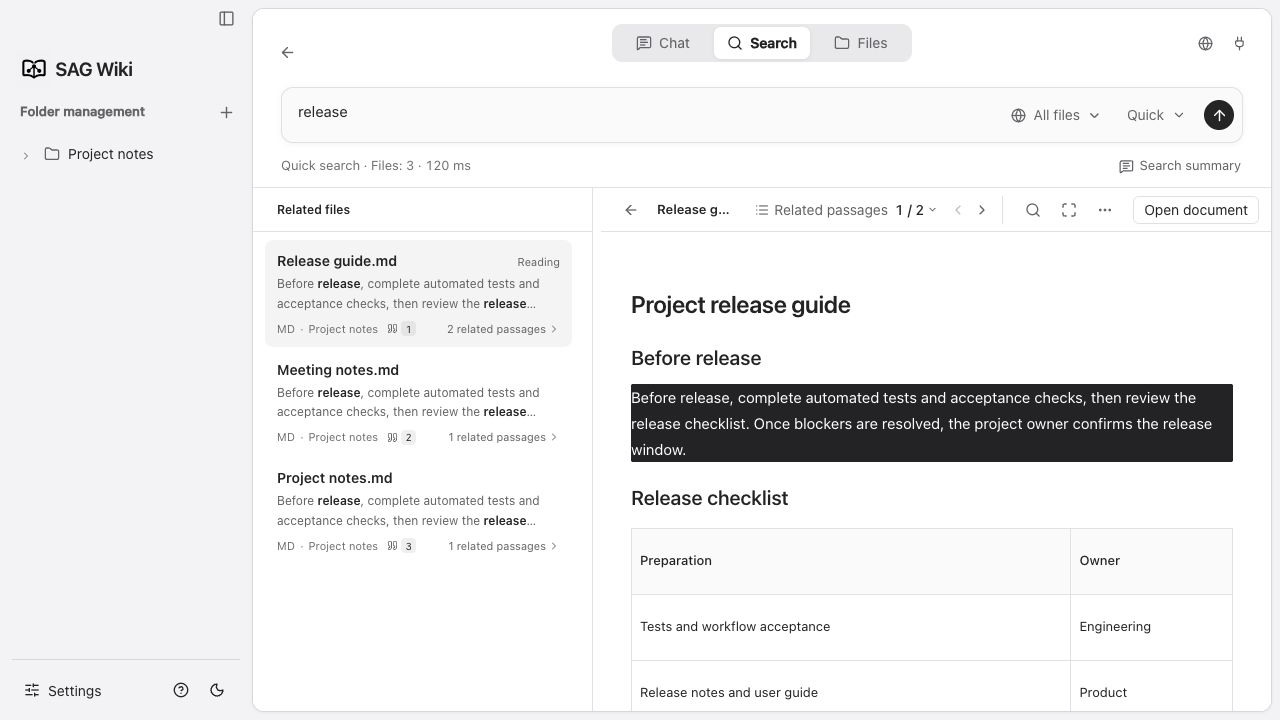
Results are grouped by file. Select a result to read its source on the right. Use the Back button at the top left of the reader to return to the search summary, or open related passages to choose a match within that file. Use match navigation to move through the source. The document actions menu lets you open the document or reveal it in its folder.
Edit the query in the input above and submit it to search again. Use the top-left Back button to clear the query and view recent searches.
The active match highlights its entire paragraph in the source. In the light theme, it uses a dark background with light text. Markdown previews use the selected passage's source position, so semantic results remain highlighted even when they do not contain the original search words. Find-in-document still locates the words you enter and uses the same style.
Read search results
- Drag the divider between the results and source text to resize the list. Switching files with the mouse or keyboard automatically scrolls to the currently selected passage highlight.
- Use find-in-document, related passages and focus mode in the reader header to inspect matches.
- Large documents show the target passage first and load the remaining content progressively. In narrow windows, use Back to return to the results.
Deep search
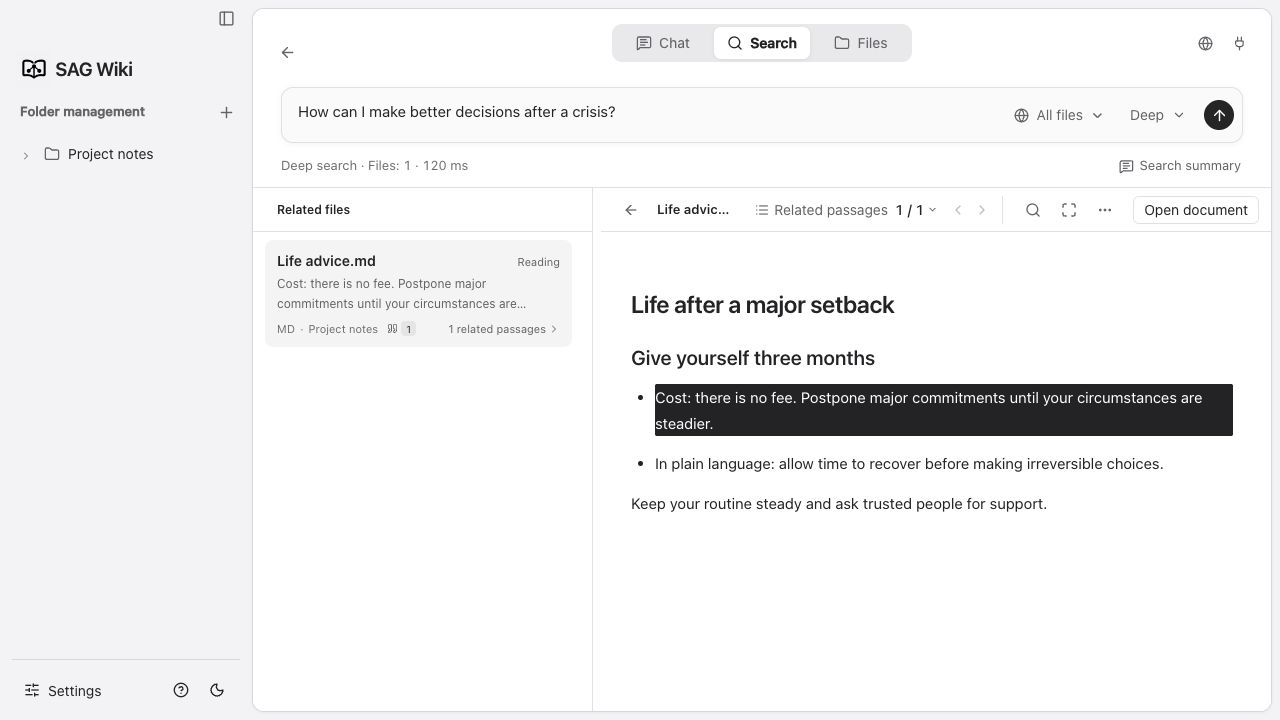
Configure a Jev endpoint, model and API key, then choose deep search. Describe the information you need as a complete question:
How does this project handle login and permissions?SAG2 retrieves candidate passages, uses Jev to assess evidence relevance, expands the search when needed, and returns relevant sources. This is useful for questions spanning multiple files.
Comparing search modes
| Quick search | Deep search | |
|---|---|---|
| Input | Words, names, known text | Complete questions or semantic descriptions |
| Execution | Local full-text search | Local index and Jev service |
| Configuration | No model key required | Jev configuration required |
| Output | Matching files and text | Evidence relevant to the question |
Timing
The interface displays elapsed time and processing status. Tool calls in Q&A also include request handling. Compare the question, scope and retrieval settings when comparing timings across views.
Search settings in detail
Location: Settings → Search settings. Read Technical overview for the difference between candidates, expansion and final results.
Automatic search summary
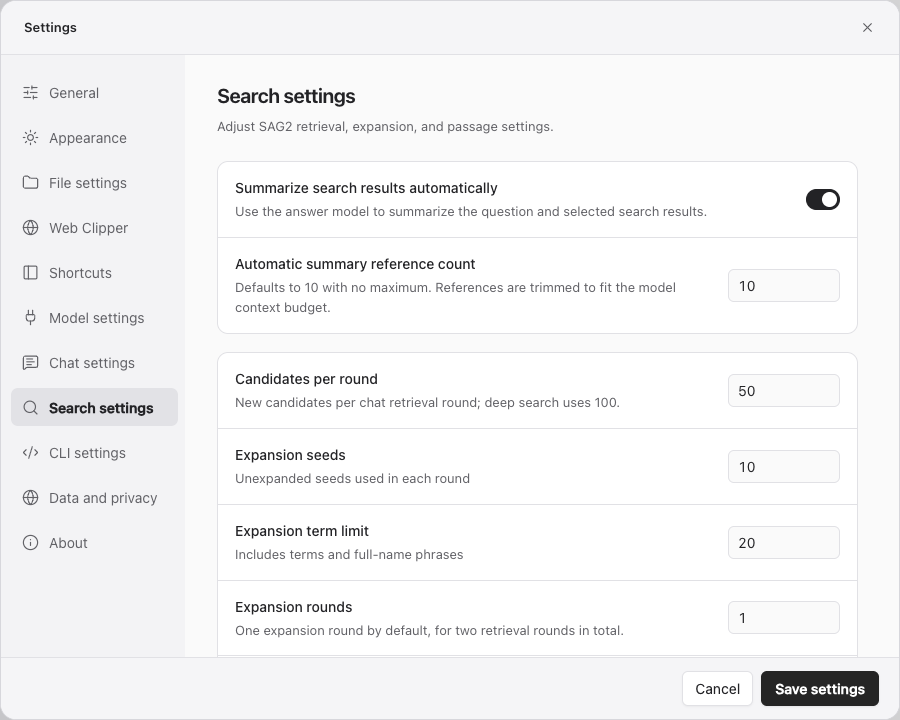
On by default. When a search finds results, Search summary opens and expands automatically, using the question and selected results to generate a short summary. Select a result on the left to read its source, then select Search summary to return. If automatic summaries are disabled or no answer model is configured, the first file opens instead.
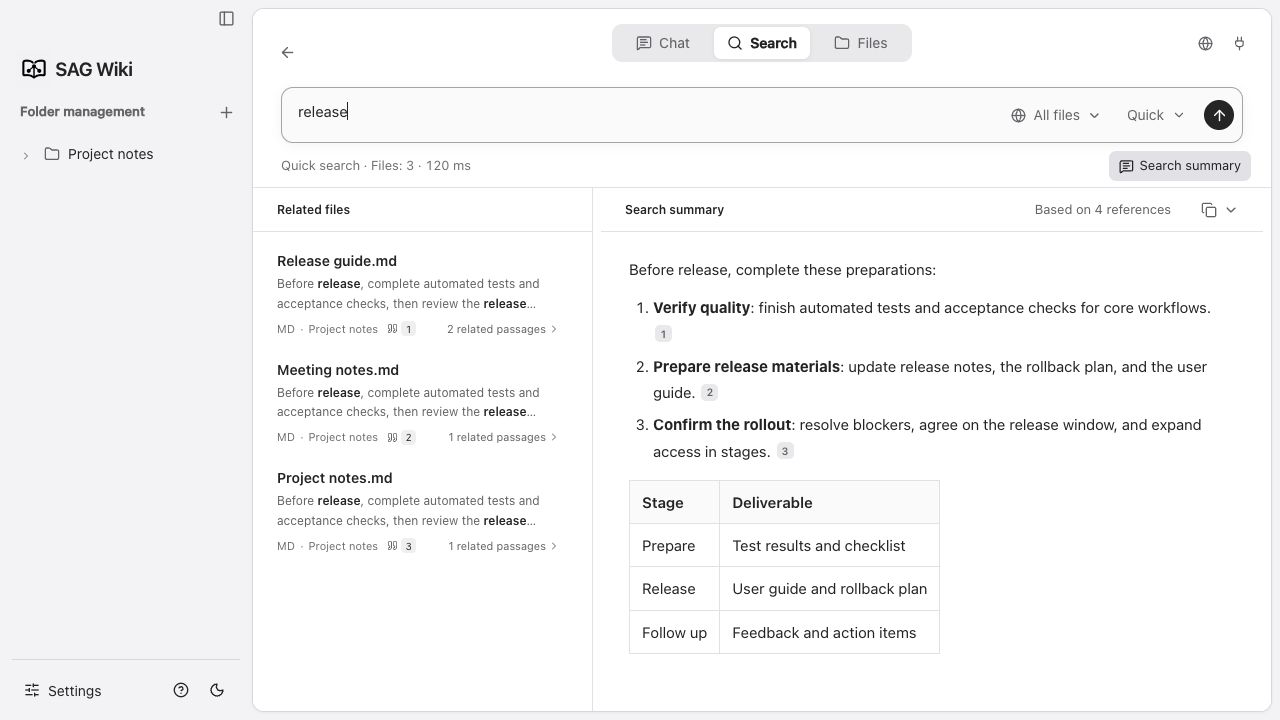
Configure an answer model first. Provider charges may apply. Summary time is separate from pure retrieval time.
Summary source count
Defaults to 10, minimum 1, with no fixed maximum. It limits how many results are considered for the summary. Inputs exceeding the answer context budget are trimmed. More sources increase input volume and do not guarantee a better summary.
SAG2 parameters
| Setting | Default / range | Effect |
|---|---|---|
| Candidates per round | 50 / 10–100 | New candidate limit per Q&A retrieval round. More candidates broaden scoring and increase Jev work. Desktop deep search uses a fixed 100 instead. |
| Expansion seeds | 10 / 1–20 | How many ranked, not-yet-expanded passages become search starting points. More seeds add context and terms. |
| Expansion term limit | 20 / 1–500 | Caps terms and full-name phrases extracted from seeds. More terms widen retrieval and may add irrelevant candidates. |
| Expansion rounds | 1 / 0–2 | Rounds after initial retrieval. 0 means initial retrieval only; 1 allows up to 2 rounds total; 2 allows up to 3. Stops early without new candidates. |
| Returned passages | 10 / 1–100 | Final passage count for Q&A retrieval tools, separate from per-round candidate count. Desktop deep search shows at most 100 files; CLI -m controls its output limit. |
| Target chunk characters | 512 / 400–12000 | Indexing chunk target. Preserves sentences and neighboring context; long sentences may exceed it. Changing this rebuilds indexes. |
Adjusting parameters
Start with defaults. Keep the question and file scope fixed, change one value at a time, and compare factual source coverage and elapsed time.
- Too much output: reduce returned passages before reducing candidate coverage.
- Missing cross-file facts: inspect expansion rounds and seed count.
- Insufficient passage context: adjust chunk size, then wait for reindexing.
- Slow retrieval: inspect candidate count, expansion rounds and Jev service time.
Restore default parameters
Restores the six SAG2 values to 50 / 10 / 20 / 1 / 10 / 512. Save afterward. It does not reset the summary toggle or summary source count. A changed chunk target triggers index updates.
Rounds and requests
The implementation permits at most three Jev scoring rounds. Final local ranking makes no additional model calls. Large candidate sets are batched under request budgets while retaining whole candidates. A single candidate plus shared evidence exceeding the budget produces an explicit error rather than truncating the source.
Retrieval rounds therefore do not equal Jev HTTP request counts. More candidates, seeds or larger chunks can increase batching and time.